
Learn to Draw Anime by Steps
Rstream LabsArt & Design
4.6550.00 Reviews
- Version
- 3.0.648
- Installs
- 10.00M
- Age Rating
- Teen
Screenshots
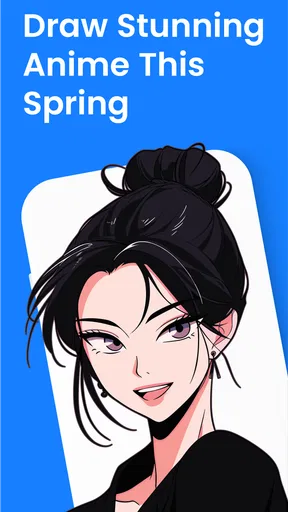
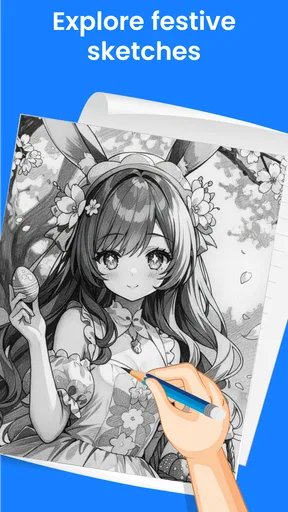
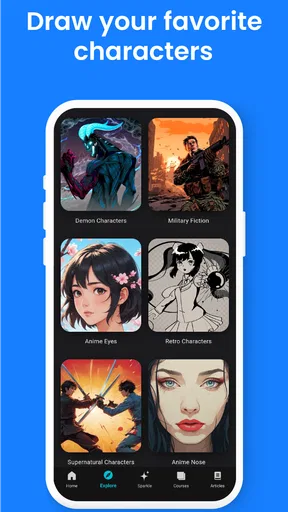
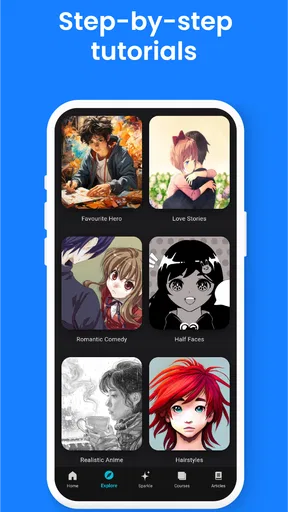
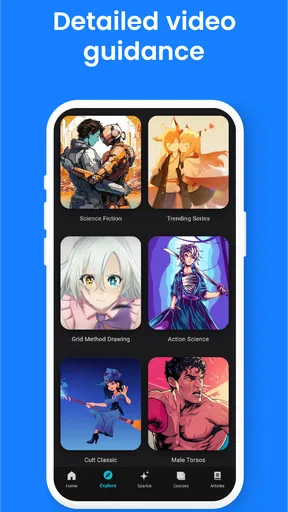
Our Review of Learn to Draw Anime by Steps
 Analysis by Appyee
I approached Learn to Draw Anime by Steps as a practical sketching companion rather than a replacement for a full art course. It is a free Art & Design app from Rstream Labs, aimed at people who want to learn anime drawing through guided lessons instead of trying to copy finished pictures without understanding the process. After spending time with it, my main impression is that its strongest quality is accessibility: it gives a hesitant beginner a clear place to start.
The app has a 4.6 average from around 58 thousand ratings and has passed 10 million installs, so it is clearly not an obscure experiment. That popularity makes sense because the idea is easy to understand. You open a lesson, follow the stages, and gradually build an anime-style subject. The important question, though, is whether that simple loop remains useful after the first burst of enthusiasm. In my experience, it can, but only if you treat the lessons as drawing practice rather than passive entertainment.
What the first week feels like
The first few sessions are the most immediately satisfying. Anime faces and characters can look intimidating when viewed as finished illustrations, but step-based instruction breaks the image into manageable decisions. Instead of asking me to reproduce every detail at once, the format encourages me to think about the order of construction: broad shapes first, then recognizable features, then smaller details.
That sequence matters for beginners. A common mistake is to start with eyes, hair, or clothing because those are the visually exciting parts. A guided lesson nudges me toward a more sensible workflow. I can sketch lightly, check the proportions, and only then spend time refining the features that make the drawing feel like anime. The best early habit is to delay detail until the structure looks convincing.
I found the app especially approachable when I had only a short amount of time. A quick practice session before bed or during a break feels less demanding than opening a large drawing program with a blank canvas. There is no need to decide what to draw from scratch. The lesson itself supplies the direction, which removes one of the biggest barriers for new artists: not knowing what exercise to choose.
That convenience also explains why I would recommend it to someone who keeps saying, “I want to draw, but I do not know where to begin.” The app provides a defined path through the first attempt. It is not necessary to understand anatomy, perspective, or digital brushes before getting started. The focus stays on following the visual stages and learning by doing.
Still, the first-week appeal has a limit. Repeating a guide can create the feeling of progress even when the underlying skill has not transferred to an independent drawing. I noticed that copying a sequence is easier than remembering the principles behind it. To get more from each lesson, I would pause before the next step and try to predict what should come next. That small change turns the exercise from tracing instructions into active observation.
A useful routine for beginners
My preferred routine is to complete one guided drawing slowly, then make a second attempt without constantly checking the reference. On the first pass, I concentrate on the order of the shapes. On the second, I test whether I actually remember the proportions. The difference between those attempts reveals more than simply finishing several lessons in a row.
I also recommend keeping the first sketches instead of immediately discarding them. Comparing an early attempt with a later one can show whether the face is becoming more balanced or whether the same error keeps returning. This is one of the app’s less obvious strengths: its simple lessons can become a repeatable measuring tool if I use them consistently.
For a child or young teenager, the Teen content rating is worth noticing before installing. The app is not presented as a preschool drawing toy, and its intended audience is better understood as older children, teenagers, and adults interested in anime-style art. Parents should still look at the app together with a younger user and decide whether the lesson format suits that child’s attention span and independence.
What remains valuable after the novelty fades
After the first month, the app’s value depends less on discovering new-looking drawings and more on how deliberately I revisit the material. A beginner can use the lessons to build a small library of recurring exercises: head construction, facial placement, hair shapes, expressions, and character details. The benefit comes from returning to those foundations at different times rather than assuming one successful copy means the skill is finished.
This is where the app compares favorably with random online image searches. Searching for “anime drawing tutorial” usually produces an overwhelming mixture of styles, skill levels, and incomplete explanations. A structured lesson is less exciting, but it gives me a consistent learning path. I spend less time choosing a reference and more time actually drawing.
On the other hand, a dedicated digital art program is usually better once I want full control over layers, brushes, corrections, color work, and original composition. This app is more useful as a guided practice tool than as a complete illustration studio. If my goal is to produce polished finished artwork, I would eventually pair it with a drawing application that offers a broader workspace. The two tools serve different purposes rather than competing directly.
There is also a difference between learning a visual formula and learning to design characters. Step-by-step lessons can help me understand how a particular drawing is assembled, but they do not automatically teach personality, costume design, lighting, gesture, or storytelling. I have to add those challenges myself. A good monthly routine therefore alternates between guided studies and small original variations.
For example, after following a face lesson, I might change the angle slightly, alter the expression, or redesign the hairstyle. The point is not to make a masterpiece. It is to discover which parts of the construction remain stable when the reference changes. That exercise exposes whether I am learning a method or merely memorizing a picture.
How I would use it over several months
I would divide practice into three stages. First, I would follow the lesson closely to understand its sequence. Next, I would repeat it from memory while checking only when necessary. Finally, I would create a variation using the same construction. This workflow gives the app recurring value without requiring a long daily session.
Another useful approach is to focus on one weakness for a week rather than jumping between unrelated subjects. If facial proportions are inconsistent, several short repetitions of related lessons are likely to help more than sampling every available topic once. The app works best when I use it as a curriculum, even if I have to create that curriculum myself.
The free price makes this experimentation easy. I can try the learning style without committing money at the beginning. There are in-app purchases ranging from forty-nine cents to nearly sixty dollars per item, so I would pay attention to any purchase prompts and decide whether extra material genuinely supports my practice. The free entry point is a real advantage, but it does not mean every optional purchase will be necessary for a beginner.
The current version is 3.0.648, and the app supports Android devices running version 7.0 or later. That broad compatibility makes it practical for people using an older phone or tablet, although the experience will still depend on screen size and responsiveness. A larger display is more comfortable for studying small details, while a phone is convenient for short practice sessions.
Maintenance, friction, and the work required from me
The maintenance burden is fairly light in one sense: this is not an app that demands constant configuration before I can draw. Its purpose is immediately clear, and a short session can begin quickly. The heavier burden is personal. I have to supply the discipline, because guided lessons are easy to consume without turning them into a lasting habit.
I would not rely on motivation alone. A better plan is to attach practice to something I already do, such as drawing after morning coffee or before watching a favorite show. Even a modest recurring appointment is more useful than an ambitious schedule that lasts only a few days. The app’s compact lesson format suits this kind of routine because it lowers the effort needed to begin.
There is also some practical friction in learning on a phone. The screen can feel cramped when I am trying to observe proportions and draw at the same time. Finger drawing may be acceptable for rough practice, but it is less precise than using a stylus or working on paper beside the device. If I want clean lines, I may prefer to view the lesson on one device and draw in a separate medium.
That setup reveals an important trade-off. Using the app directly while drawing is convenient, but it can encourage me to chase the displayed image too closely. Drawing on paper or in another app makes the exercise feel more like study and less like following a moving checklist. I would choose the method based on my goal: direct copying for learning sequence, separate drawing for testing retention.
The app is also not the right choice for someone who wants detailed technical instruction in realistic anatomy or formal academic drawing. Its anime focus is a strength when that is the style I want, but it narrows the scope. Someone preparing for figure drawing, environment design, or professional concept art would need additional resources with more depth in those areas.
Why some users may tire of it
The main source of fatigue is repetition without a clear personal challenge. The first few completed drawings feel rewarding because the format makes progress visible. Later, the same kind of guided success can become predictable. If I never move beyond copying, I may feel busy without becoming more independent.
Another possible frustration is the gap between a clean instructional example and a first attempt. Even when the steps are understandable, my result may look uneven. That is normal, but the app cannot remove the need for repeated hand control and visual judgment. Beginners who expect instant polished characters may lose interest when the final drawing does not resemble the reference closely.
I also think experienced artists may outgrow the basic guidance quickly. Someone who already understands construction and stylization may find more value in studying references, gesture drawing, or creating original characters. The app is strongest at reducing the intimidation of starting, not at replacing years of practice.
Commercial interruptions or optional purchase prompts can also affect the rhythm of a learning session, depending on how the app presents them during use. Since the app is free and includes paid items, I would approach it with a clear boundary: use the free material first, identify a specific learning need, and only then consider spending. Paying simply because a locked option appears is not a learning strategy.
There is a subtler risk as well. Step-by-step anime instruction can encourage a single familiar look if I never vary the references. To avoid that, I would deliberately change face shapes, hair silhouettes, expressions, and poses after completing a lesson. Even small changes help prevent every character from becoming the same character with different hair.
Who gets the most from it
I think the app is a good fit for a complete beginner, a casual anime fan who wants a creative hobby, or a returning artist who needs a low-pressure way to rebuild confidence. It is also useful for someone who learns better by seeing a sequence than by reading long explanations. The guided structure gives these users an immediate action instead of an empty page.
It is less suitable for an artist seeking advanced critique, live feedback, professional portfolio development, or a complete digital painting workflow. It also may not satisfy a user who dislikes copying examples and wants every session to begin with unrestricted original work. In those cases, a full drawing suite, structured anatomy course, or teacher-led class would be a better investment of time.
For families, I would frame it as a drawing practice tool rather than an all-purpose entertainment app. Sitting with a young user for the first session can help establish how to follow the stages, how to take breaks, and how to judge improvement realistically. The Teen rating should be part of that decision, especially when the app is being considered for someone younger.
Does it earn a lasting place?
My long-term verdict is positive, with a clear condition: its lasting value comes from the habit I build around the lessons, not from endlessly collecting completed drawings. The app makes anime drawing approachable, removes the blank-page problem, and offers a useful bridge between curiosity and regular practice. Its free starting point and broad Android support make it easy to test without much risk.
I would keep it installed if I were beginning anime art or trying to maintain a small daily sketching habit. I would use it for warm-ups, proportion studies, and controlled variations, then move to a fuller drawing tool when I wanted original scenes or polished color work. That combination gives the app a sensible role instead of asking it to do everything.
It does not replace an art teacher, a serious anatomy resource, or a professional illustration workspace. It can also become repetitive if I follow the steps mechanically or expect every lesson to produce an impressive result. But those limitations are manageable when I use the app actively: pause, redraw from memory, change the subject, and review the mistakes that keep returning.
For a friend asking whether to try it, I would say yes if the goal is to start drawing anime without feeling overwhelmed. I would not promise a shortcut to advanced skill. What I can recommend is a practical, approachable starting point that remains useful over time when paired with curiosity and a willingness to draw beyond the instructions. That is enough to give Learn to Draw Anime by Steps a place in a beginner’s regular creative routine.
Verdict
Strengths of Learn to Draw Anime by Steps
- Clear step-by-step lessons suit beginners with little drawing experience.
- Covers anime faces, eyes, hair, poses, and other popular subjects.
- Simple interface makes lessons easy to browse and follow.
- Useful for practicing proportions and basic anime drawing techniques.
- Lessons can inspire ideas for original character designs.
Limitations of Learn to Draw Anime by Steps
- Some lessons may feel too basic for experienced artists.
- Limited guidance on shading, coloring, and advanced anatomy.
- Results depend on practicing outside the app regularly.
- Certain drawing steps may lack detailed explanations or corrections.
- The app may offer less value if you prefer realistic art styles.
Other Releases by Rstream Labs
View All
Skincare and Face Care Routine
Beauty4.4

Learn Drawing
Art & Design4.6

Keto Recipes : Keto Diet App
Food & Drink4.3

Anime App - Watch Anime Series
Comics4.5
Similar Picks in This Category
View All
Canva: AI Photo & Video Editor
Canva4.8

PENUP – Drawing-sharing SNS
Samsung Electronics Co., Ltd.4.5

Crafto
Kutumb App4.6

Sketchbook
Sketchbook4.1

ibis Paint X
ibis inc.4.5

Adobe Express: AI Photo, Video
Adobe4.6
Frequently Asked Questions
What is Learn to Draw Anime by Steps?
Learn to Draw Anime by Steps is a beginner-friendly drawing app focused on teaching users how to create anime-style characters through guided, step-by-step lessons. Instead of expecting you to copy a complete image immediately, it usually breaks the process into manageable stages, such as sketching basic shapes, adding facial features, refining hair and clothing, and completing the final details.
Is Learn to Draw Anime by Steps suitable for complete beginners?
Yes, the app is mainly aimed at beginners, including users who have little or no previous drawing experience. The lessons are presented progressively, making it easier to understand proportions, construction lines, facial expressions, and common anime features. However, users should still expect to practice regularly, because following the instructions once will not automatically develop strong drawing skills.
What can I learn to draw with this app?
The app generally concentrates on popular anime and manga elements, including faces, eyes, hairstyles, character poses, and complete figures. Depending on the available lesson collection, you may also find tutorials for different character styles and expressions. It is best viewed as a structured introduction to anime drawing rather than a complete professional course covering anatomy, perspective, backgrounds, and advanced digital illustration.
Do I need an internet connection or special drawing equipment?
Most step-by-step lessons can be followed with ordinary drawing materials, such as a pencil, eraser, and paper, so beginners do not need a graphics tablet to get started. Some app features or lesson images may require an internet connection, particularly when content is loaded online. If you plan to draw directly on a phone or tablet, a stylus can improve control but is not essential.
Is Learn to Draw Anime by Steps free to download and use?
The app may be available as a free download, but the exact features can depend on the version, platform, and developer’s current monetization model. Free users may encounter advertisements, locked lessons, or optional in-app purchases. Before downloading, check the Google Play Store or App Store listing for the latest information about pricing, subscriptions, advertising, supported devices, and whether all tutorials are included without payment.
